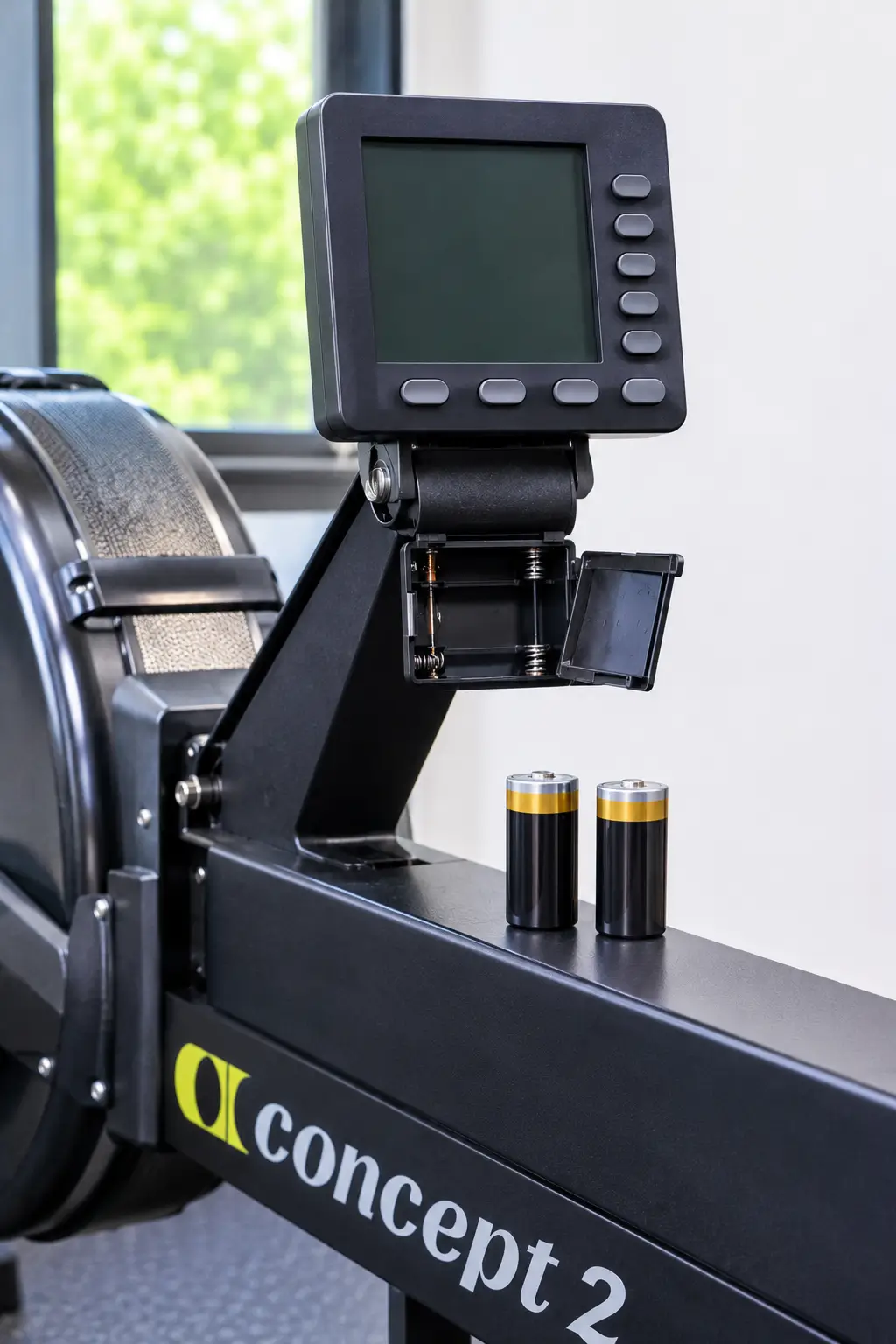
A Concept2 monitor not turning on is frustrating because the rower itself still feels fine. The flywheel spins, and the chain pulls, but the screen stays blank. Fortunately, most blank-screen problems come down to batteries, a loose cable, or a stuck setting.
This guide walks you through nine fixes in order, from the easiest to the most involved. Follow them one at a time, and you will usually find the cause in under 30 minutes. The steps are based on Concept2’s own PM5 support pages and apply mainly to the PM5, with notes for older monitors.
Quick Answer: A Concept2 monitor not turning on is usually caused by dead or badly seated D cell batteries, a loose pickup cable, or outdated firmware. Replace both batteries, check their direction, and plug the cable in fully. If that fails, update the firmware or run a hard reset. Persistent blank screens may need replacement.
Why Your Concept2 Monitor Not Turning On Happens
How the PM5 Gets Power
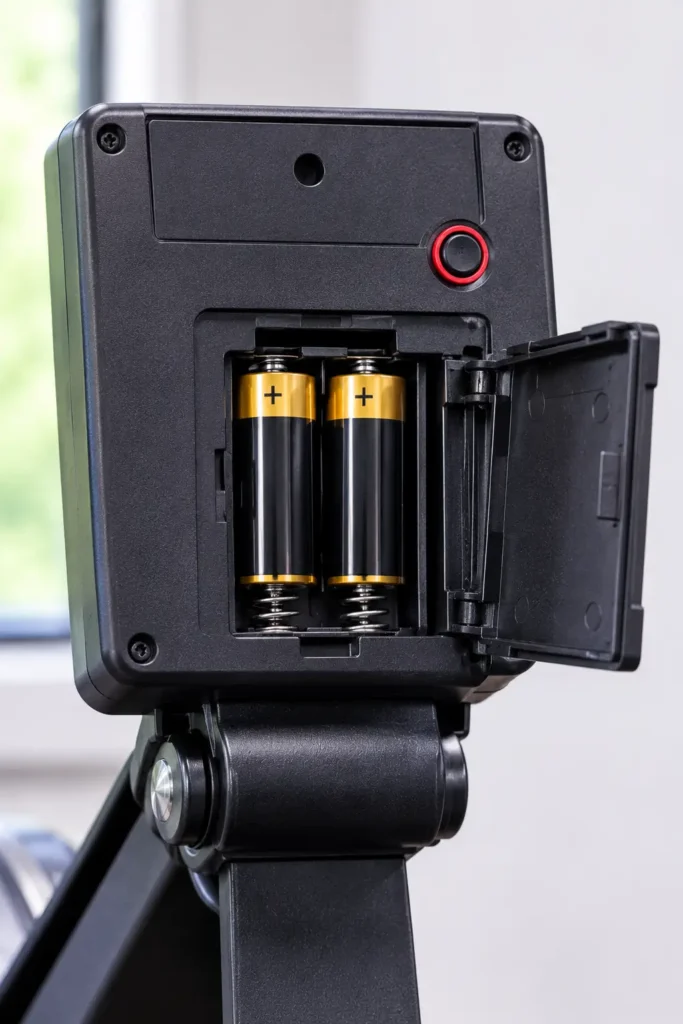
The PM5 runs on two D-cell batteries, according to Concept2’s PM5 guide. On a RowErg or SkiErg, a generator in the flywheel also helps power the monitor while you row. As a result, the screen can behave strangely when either source has a problem.
Concept2 says the monitor wakes up when you pull the handle, push a button, connect it to a computer, or insert batteries. After a couple of minutes of inactivity, it turns off by itself. A spinning flywheel counts as activity, so the timer only starts once the flywheel stops.
Common Causes at a Glance
Knowing how the monitor works makes troubleshooting much easier. In practice, a Concept2 monitor not turning on usually traces back to one of these causes:
- Weak or dead batteries
- Batteries inserted the wrong way or sitting loose
- A loose or damaged pickup (tach) cable
- Known firmware issues on certain PM5 versions
- A stuck button or a power glitch after a battery change
- Moisture, corrosion, or contamination inside the monitor
Quick Diagnosis Table
Use this table to match your symptoms to the right fix. A Concept2 monitor not turning on can look different depending on the cause.
| What you see | Most likely cause | Try this first |
|---|---|---|
| Totally blank, no response to buttons | Dead batteries | Fix 1 |
| Blank until you row, then turns off fast | Weak batteries or loose connection | Fixes 1, 2, and 4 |
| Screen on, numbers stuck at zero | Pickup cable or wrong rower type | Fix 4 |
| Won’t power on with no batteries | Firmware or generator issue | Fixes 5 and 6 |
| Error code appears at startup | Stuck button or power glitch | Fixes 3 and 7 |
| Nothing works after all steps | Hardware damage | Fix 9 |
What You Need Before You Start
Gather a few simple items before you tackle a Concept2 monitor not turning on. Having them ready saves time and prevents repeated trips to the rower.
- Two fresh alkaline D-cell batteries, same brand and same age
- A straightened paper clip for the reset button
- A flashlight to inspect cables and ports
- A smartphone or computer for firmware updates [VERIFY which cable your PM5 model uses]
- Your PM5 serial number, in case you contact Concept2
Meanwhile, keep the rower unplugged from any other devices. Disconnect any USB cable, race cable, or accessory so you can test the monitor on its own.
Step-by-Step Fixes for a Concept2 Monitor Not Turning On
Fix 1: Replace Both Batteries
Start here, because dead batteries cause most blank screens. Concept2 says a set of alkaline D cells should last about 200 hours of operating time in a PM5 under normal conditions, according to its troubleshooting page. Even so, an older or mixed set can fail much sooner.
Replace both batteries at once with fresh alkaline D cells. Do not mix old and new batteries, and do not mix brands. Then pull the handle once or press a button to wake the monitor.
Coach’s Tip: Write the install date on a piece of masking tape and stick it near the rower. When you see it, you will know whether the batteries are likely the problem.
Fix 2: Check Battery Direction and Door Fit
Next, confirm that each battery faces the correct way. The plus and minus symbols inside the compartment show the right direction. A single reversed battery is enough to keep the screen dark.
Also check how the battery door sits. Concept2 links one error code (575) to loose batteries from a poorly fitting door, as described on its PM5 product notice page. If your door feels loose, read that notice to see whether you qualify for a replacement.
Common Mistake: Pressing a button while sliding the batteries in. This can trigger a startup error, so keep your fingers off the keypad until the batteries are fully seated.
Fix 3: Look for a Stuck Button
Sometimes the monitor does not stay blank. Instead, it powers up and shows an error code. Concept2 explains that error code 4 can appear when a button is stuck in the engaged position as the monitor resets or powers on.
To fix it, press each button and make sure it pops back out. If the error appeared after a battery change, remove the batteries and reinsert them without touching the keypad. If the monitor is out of warranty and keeps showing the error, residue behind the keypad may need cleaning with isopropyl alcohol, per Concept2’s instructions. Because that means opening the monitor, ask Concept2 first if you are unsure.
Fix 4: Inspect the Pickup (Tach) Cable
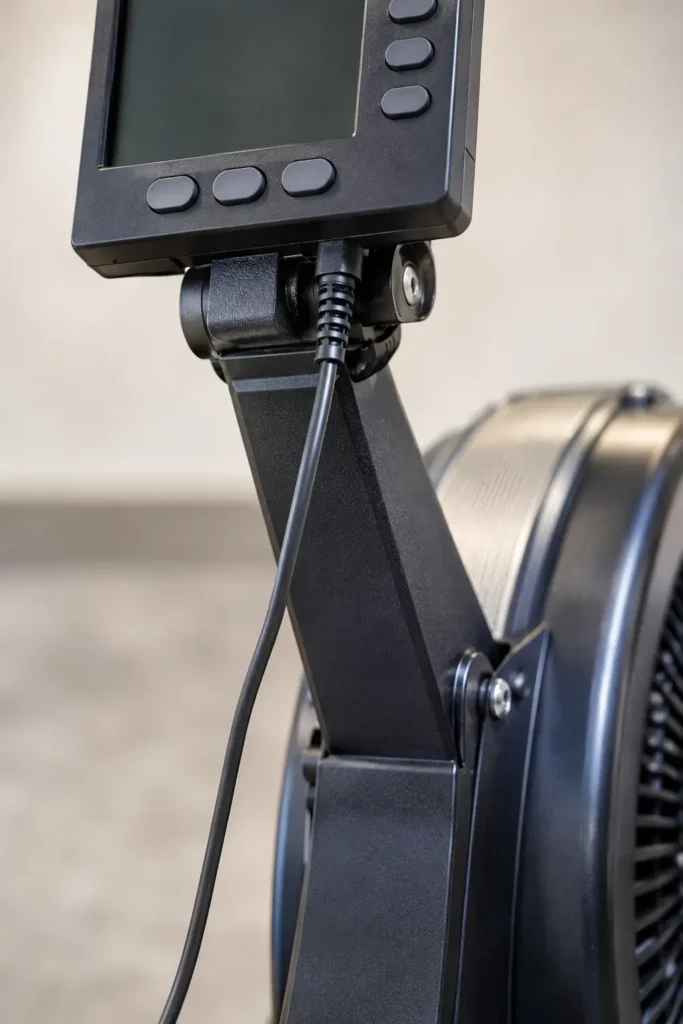
The pickup wire runs from the bottom of the monitor to the flywheel. If it comes loose, the monitor may not wake properly or may stay stuck at zero. Therefore, unplug it and look closely for frays or breaks.
Concept2 recommends these checks:
- Unplug the pickup wire and inspect it for frays or breaks.
- Look at the port on the bottom of the monitor for cracks.
- If both look fine, push the wire back in firmly.
A frayed wire needs replacing. A cracked port means the monitor needs replacing.
Fix 5: Run the No-Battery Generator Test
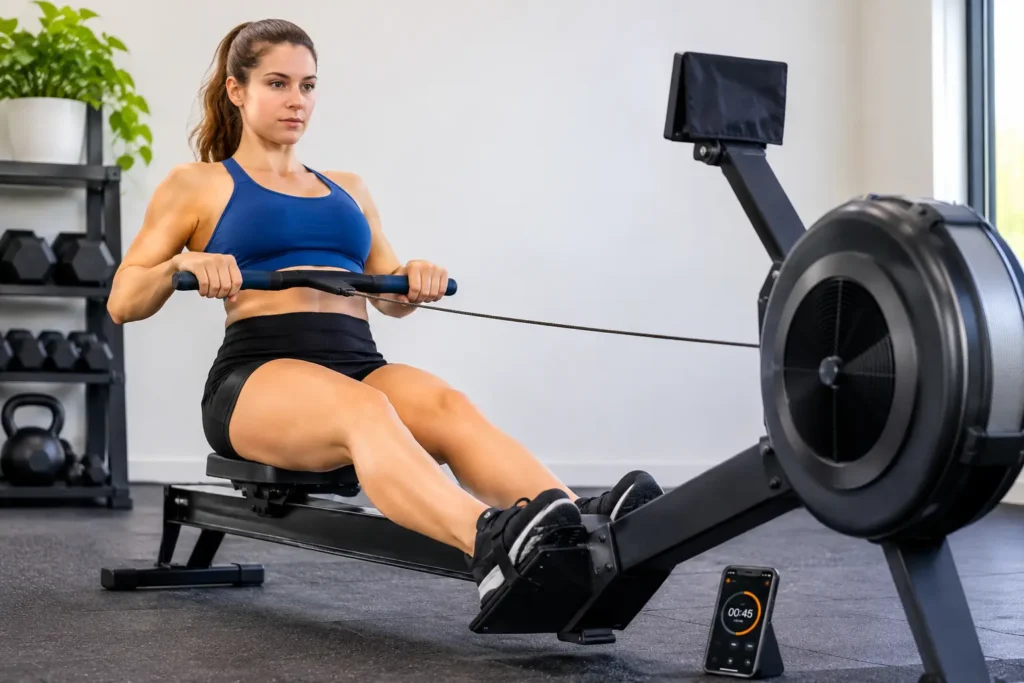
This test checks whether the flywheel generator works. It applies to Model D, Model E, Dynamic rowers, and SkiErgs, according to Concept2.
- Remove all batteries from the monitor.
- Make sure the tach cable is plugged in all the way.
- Row hard on the machine.
- If the monitor comes on and stays on, part of the generator works.
- If it never comes on, the generator cable likely needs replacing.
Be aware that this test does not work on one specific combination: a PM5 with hardware version 500–599 and firmware 20/720. In that case, update the firmware first.
Fix 6: Update the Firmware
Firmware problems can also leave a monitor unresponsive. For example, Concept2 lists a known issue on PM5s with hardware versions 500–599 and firmware 20/720, where a monitor with no batteries will not power up while rowing. The fix is to update to firmware 22/722 or higher through Concept2’s firmware page.
To check your versions, open the Product ID screen. From the Main Menu, choose More Options, then Utilities, then More Utilities, then Product ID. If your monitor will not turn on at all, put fresh batteries in first so you can read this screen.
Fix 7: Rest the Batteries for Five Minutes
Occasionally the electronics get stuck after a battery swap or an interrupted update. In those cases, Concept2 recommends removing the batteries for at least five full minutes. Then reinsert two good D cells and reset the date and time when prompted.
This method is specifically listed for error codes 886 and 2220. Error 886 can occur when removing and replacing batteries. Error 2220 can appear after a firmware update, and the rest period lets the monitor finish an unfinished update. After error 886, Concept2 also says to press More Options and then Turn Wireless On.
Fix 8: Do a Hard Factory Reset
A hard reset clears deeper software faults. Concept2 describes two methods. Before you start, know that a factory reset may erase stored workouts, so save anything important first through ErgData or the Concept2 Utility if you can.
Method 1:
- Hold down the Units and Display buttons.
- Use a paper clip to press and release the reset button on the back.
- Keep holding the buttons for at least 7 seconds, or until “Setting Factory Defaults” flashes.
- Release the buttons.
Method 2: Remove the batteries and any USB cable. Hold Units and Display, reinstall a battery, and keep holding for at least 7 seconds. Afterward, set your language, date, and time again.
Fix 9: Check for Hardware Damage
If nothing has worked, the problem may be physical. Concept2 says unresponsive buttons are usually caused by corrosion on the circuit board, and the monitor must be replaced in that case. Similarly, if a monitor is sprayed with cleaning solution, contamination can reach the circuit board.
You can also use a known good monitor if you have access to one. Swap it onto your rower. If the working monitor stays blank or stuck at zero, your cable or generator is at fault. If it works normally, your original monitor is the problem.
Never spray cleaner directly onto the screen or keypad. Instead, wipe the monitor with a lightly dampened cloth.
When to Contact Concept2 or Replace the Monitor
Contact Concept2 if you have followed all nine fixes and your Concept2 monitor not turning on problem continues. The company lists a support number of 800.245.5676 for the US and Canada on its contact page [VERIFY current hours and number]. Have your serial number, firmware version, and a short list of what you tried.
Replacement makes sense in these cases:
- A cracked pickup port on the monitor
- Keypad buttons that stay dead after cleaning
- Corrosion or contamination on the circuit board
- Screen defects such as missing lines
Prices for a new monitor vary, so check the official shop before you decide [VERIFY current price range]. If the rower itself is older, you might compare it with newer machines first. Our Concept2 rower review covers what current models offer, and our Water Rower vs Concept2 guide helps if you are weighing alternatives.
Safety Notes
Troubleshooting is safe when you take a few simple precautions.
- Remove batteries before inspecting cables. This prevents accidental startup while your hands are near ports.
- Do not use force. If a plug does not seat, check the pins rather than pushing harder.
- Dispose of old batteries properly. Take them to a recycling drop-off.
- Do not open the monitor unless you are comfortable doing so. Opening it may affect your warranty [VERIFY with Concept2].
- Stop using a damaged rower. If the handle, chain, or seat looks worn, fix that first.
Keep Training While Your Monitor Is Down
A broken monitor does not have to stop your workouts. The flywheel and chain still work, so you can row by feel and track time with a phone. The CDC guidelines for adults recommend about 150 minutes of moderate aerobic activity per week plus two days of muscle-strengthening activity, so staying consistent matters more than perfect numbers.
20-Minute Row-by-Feel Workout
| Block | Time | Effort | Notes |
|---|---|---|---|
| Warm-up | 5 min | Easy | Light pressure, relaxed breathing |
| Steady rows | 4 × 3 min | Moderate | You can talk in short sentences |
| Easy rows | 4 × 1 min | Easy | Recover between blocks |
| Cool-down | 3 min | Very easy | Slow the stroke rate |
Count your strokes for 30 seconds and double the number to find your stroke rate. Concept2 notes that most rowing workouts fall between 24 and 30 strokes per minute, so use that as a loose guide. Remember that a higher stroke rate does not automatically mean harder work.
Easier version (regression): Cut the steady blocks to 3 × 3 minutes and extend the easy rows to 90 seconds.
Harder version (progression): Extend each steady block to 4 minutes, but keep the same easy rows. Add the extra minute only when the effort still feels controlled.
On non-rowing days, add strength work. Our calisthenics exercises list offers bodyweight options, and our rowing machine vs elliptical comparison helps if you want a backup cardio option. If you want a low-gear option outdoors, see our guide to slow jogging vs fast walking.
How to Prevent a Concept2 Monitor Not Turning On
A few habits lower the odds of a repeat problem.
- Replace both batteries on a schedule. Do not wait for the screen to fade.
- Use quality alkaline batteries. Avoid mixing old and new cells.
- Check the battery level now and then. Go to More Options, Utilities, then Battery.
- Keep firmware current. Concept2 recommends staying up to date to reduce monitor problems.
- Keep the monitor dry and clean. Wipe sweat after each session.
- Protect the pickup cable. Route it so it cannot get pinched or yanked.
- Remove batteries for long storage. This reduces the chance of leakage.
If you are building a compact setup, our list of the best apartment workout equipment shows other space-saving gear that does not rely on batteries. Likewise, if you are comparing rower brands, our NordicTrack RW200 vs Concept2 guide may help.
Frequently Asked Questions
Why won’t my Concept2 monitor turn on?
Most often, the batteries are dead, reversed, or loose. Next most common are a loose pickup cable, a stuck button, or a firmware issue. Replace both D cells first, then check the cable. If that fails, try a firmware update or a hard reset before you contact Concept2.
What batteries does a PM5 take?
The PM5 uses two D-cell batteries, according to Concept2. Alkaline cells are the standard choice. Replace both together, avoid mixing brands or ages, and make sure each faces the right direction. After a change, you may need to reset the language, date, and time.
Can a Concept2 PM5 run without batteries?
Often yes, because the flywheel generator can power the monitor while you row. However, a known issue affects PM5s with hardware versions 500–599 and firmware 20/720, which may not power up without batteries. Updating to firmware 22/722 or higher resolves that problem.
How do I reset a Concept2 PM5?
Hold the Units and Display buttons, press the recessed reset button on the back with a paper clip, and keep holding for at least 7 seconds. Release when “Setting Factory Defaults” appears. A hard reset may erase stored workouts, so save your data first.
How long do PM5 batteries last?
Concept2 says a set of alkaline D cells should last about 200 hours of operating time in a PM5 under normal conditions. Actual life varies with firmware, usage, and battery quality. If yours die much faster, check the firmware and the battery level screen.
When should I replace my Concept2 monitor?
Consider replacing it if the pickup port is cracked, buttons stay dead, or the circuit board shows corrosion or contamination. Also replace it if a known good monitor works on your rower while yours does not. Contact Concept2 first, because parts and warranty options vary.
Conclusion: Fixing a Concept2 Monitor Not Turning On
A Concept2 monitor not turning on is rarely as serious as it looks. Start with fresh batteries and correct direction, then check the pickup cable. After that, work through the firmware, battery rest, and hard reset steps in order.
If the screen stays dark after all nine fixes, the monitor likely has a hardware fault, and it is time to call Concept2. Meanwhile, you can keep rowing by feel and stay on track with your weekly training. Fix the simple things first, and you will usually be back to full workouts the same day.
