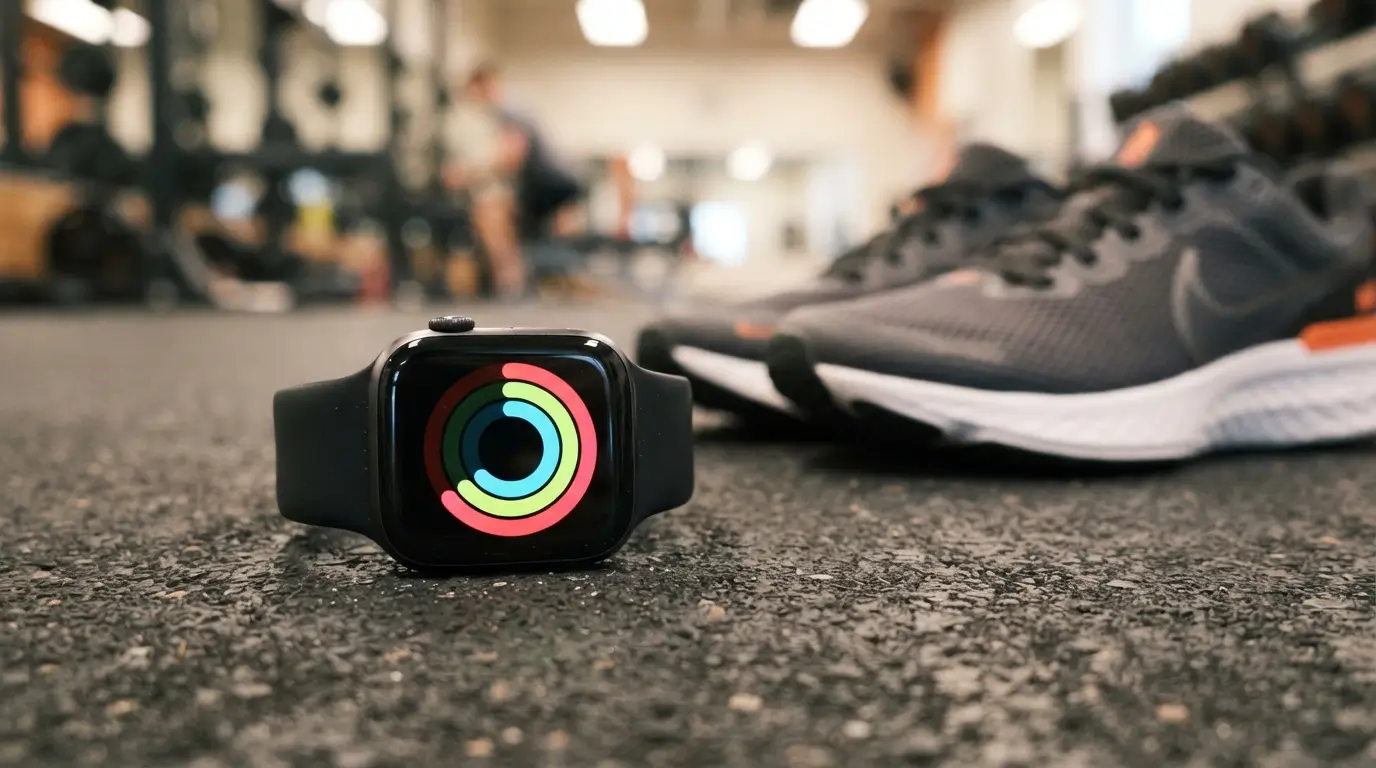
Apple Watch Activity Rings Explained in plain English: three colored rings, three simple daily habits. You move, you do some brisk exercise, and you stand up often. Close all three and the watch rewards you with a little celebration.
But what do the rings actually measure? And is closing them every day good training, or just a fun game? As a coach, I like tools that make people move more, so let’s look at what the rings do well, where they fall short, and how to set goals that fit your real life.
Quick Answer: Apple Watch Activity Rings track three daily habits. The red Move ring counts active calories, the green Exercise ring counts minutes of brisk activity, and the blue Stand ring counts hours you stood and moved for at least one minute. Most people aim for 30 exercise minutes, 12 stand hours, and a personal Move goal.
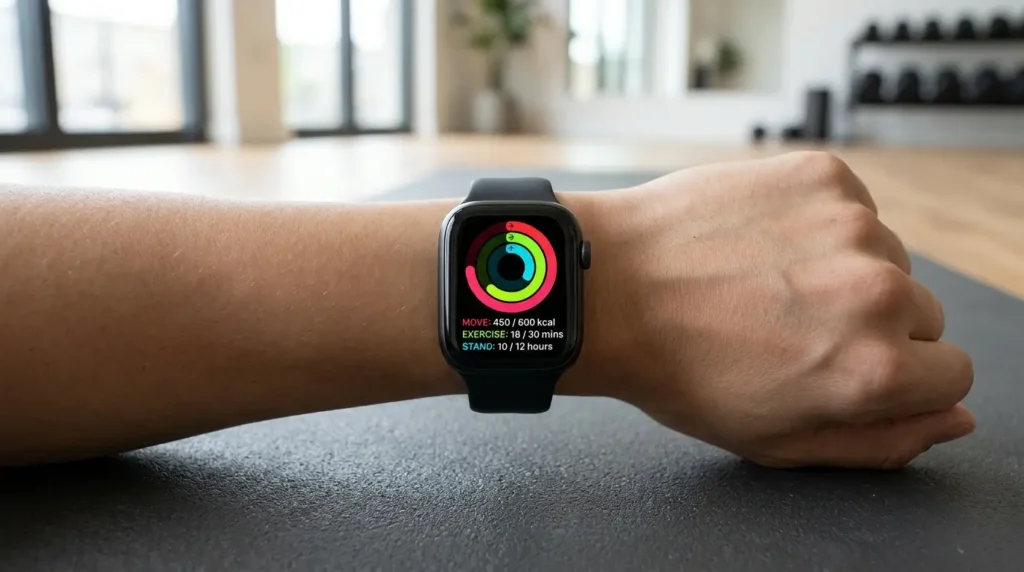
What the Three Apple Watch Activity Rings Track
The Activity app on your watch shows three rings that summarize your day. According to Apple Support, the red Move ring shows active calories burned, the green Exercise ring shows minutes of brisk activity, and the blue Stand ring shows how many hours you stood and moved for at least one minute. Turn the Digital Crown to see your steps, distance, and flights climbed too.
When a ring goes past 100%, it overlaps itself. That means you beat the goal for that ring. Think of the rings as a daily scoreboard for your movement habits.
The Move Ring (Red)
The Move ring counts active calories. These are calories you burn through movement, not the calories your body burns just staying alive. Apple explains that active calories come from all kinds of movement, from taking stairs to playing with kids to cleaning out the garage.
Your Move goal is personal. Apple suggests a new Move goal each week based on your recent activity, and you can change it any time. Because of that, a friend’s Move number says little about your own fitness.
Coach’s Tip: Don’t copy someone else’s Move goal. Start with the number the watch suggests. Then raise it by a small step only after you hit it comfortably for two or three weeks in a row.
The Exercise Ring (Green)
The Exercise ring counts minutes of brisk activity. Apple’s default target is at least 30 minutes at or above a brisk pace. Those minutes can come from a formal workout or from a fast walk to the train station.
Here is the part many beginners miss. The ring does not care how long a workout is. It only counts the minutes when you are moving hard enough. A slow stroll while you chat may fill your step count but not your green ring.
The Stand Ring (Blue)
The Stand ring is the easiest to close and the easiest to misunderstand. It counts hours in the day when you stood up and moved for at least one minute, and the standard goal is 12 hours, per Apple. It is not about standing still for an hour.
If you use a wheelchair, you can tell the watch during setup. The Stand ring then becomes the Roll ring, and it counts hours with at least one minute of rolling, according to Apple. The watch also tracks pushes and gives Move and Exercise credit based on your stroke type.

Apple Watch Activity Rings Explained: Side-by-Side Table
| Ring | Color | What it counts | Default goal | Easy way to close it |
|---|---|---|---|---|
| Move | Red | Active calories | Personal (suggested by your watch) | Brisk walks, stairs, housework, workouts |
| Exercise | Green | Minutes of brisk activity | 30 minutes | A fast 30-minute walk, bike ride, or class |
| Stand | Blue | Hours with 1+ minute of standing and moving | 12 hours | Walk around for a minute every hour |
You can change each goal. Open the Activity app, scroll to the bottom with the Digital Crown, and tap Change Goals, as Apple’s user guide explains. Each Monday, you also get a recap and a chance to adjust the Move goal.
Common Mistake: Setting the Exercise goal to 60 minutes on day one. Big goals feel exciting for about a week. Then you miss a day, the streak breaks, and many people quit. A goal you can hit 6 days out of 7 beats a perfect goal you hit twice.
What the Research Says About Apple Watch Activity Rings and Health
Apple Watch Activity Rings are not a magic health score. However, they line up well with public health advice. The CDC says adults need at least 150 minutes of moderate-intensity activity a week, plus at least 2 days of muscle-strengthening work. The WHO guidelines go a step further, with a range of 150 to 300 minutes of moderate activity per week for substantial benefits.
Do the math. If you close a 30-minute Exercise ring five days a week, you land right at 150 minutes. In other words, the default green ring is a decent weekly target for many healthy adults.
Why Standing Hours Matter
The Stand ring targets a different problem: sitting too long. The WHO review recommends limiting sedentary time, although the authors note the evidence was not strong enough to set an exact limit. Likewise, the CDC advises adults to move more and sit less, noting that some activity is better than none.
So a one-minute walk each hour will not replace a workout. Still, it breaks up long sitting blocks, which is the whole point of the blue ring.
What Counts as “Brisk”?
The CDC describes moderate intensity as activity that raises your heart rate and makes you break a sweat. A simple check is the talk test: you can talk, but not sing [VERIFY exact wording on the page]. That is a good gut check for a green-ring walk.
For a rough pace, a 3 mph walk covers about 1.5 miles (2.4 km) in 30 minutes [VERIFY that 3 mph registers as brisk for you; fitness level and the watch’s own settings matter]. If you can chat easily and barely breathe harder, speed up a little.
If you want to learn more about pace, our guide on slow jogging vs fast walking compares both options.
How Accurate Are Apple Watch Activity Rings?
Accuracy is the honest weak spot. A large systematic review in the Journal of Medical Internet Research found that Apple Watch measured steps and heart rate well in lab settings, yet no brand measured energy expenditure accurately. Since the Move ring is built on calories, treat that number as an estimate.
This review also warned that devices and software change often, so newer models may perform differently. Therefore, use your rings to track trends and habits, not to calculate exact calories for a meal.
Here is how I would use that in practice:
- Trust the ring for “Did I move more than yesterday?”
- Be careful using the Move number to decide how much to eat.
- Compare your week to your own past weeks, not to other people.
- Remember that Apple itself says the watch is not a medical device.
The Fitness app on iPhone also has a Trends view. According to Apple, it compares your last 90 days to the last 365, which makes it a better progress tool than any single day.
Setting Smart Goals for Your Apple Watch Activity Rings
Good goals feel slightly challenging, not painful. Use this table as a starting point and adjust for your own health and schedule.
| Level | Move goal approach | Exercise goal | Stand goal |
|---|---|---|---|
| Brand new | Use the watch’s suggestion | 10–15 minutes | 8–10 hours |
| Building a habit | Raise by a small step after 3 steady weeks | 20–30 minutes | 12 hours |
| Regular exerciser | Match your usual workout days | 30–45 minutes | 12 hours |
| Older adults or returning from a break | Keep the suggested goal; ask your doctor | 10–20 minutes, in short bouts | 8–12 hours |
The CDC notes that you do not have to do activity all at once. For example, three 10-minute brisk walks, 5 days a week adds up to 150 minutes. That is a helpful way to think about short walks that close the green ring bit by bit.
How to Use Apple Watch Activity Rings in Real Life
Here is a practical approach I would give any client starting with rings. It focuses on easy wins first, then adds challenge.
A Sample Day for Your Apple Watch Activity Rings
- Morning (10 minutes): Walk briskly around the block after breakfast. This starts your green ring.
- Work hours: Set a reminder to stand up and walk for 2 minutes once per hour. This builds Stand hours.
- Lunch (10 minutes): Take a fast walk or climb a few flights of stairs.
- Evening (10–15 minutes): Do a short workout, a bike ride, or another brisk walk.
That is about 30–35 minutes of brisk activity, spread through the day. As a result, you close the Exercise ring without needing a long gym session. For a related idea, the 6-6-6 walking routine splits walking into easy blocks too.

Workouts That Fill the Rings Fast
To credit your Move and Exercise rings properly, start a workout in the Workout app. The app tracks popular workouts like running, swimming, and HIIT with one tap, as Apple notes. You can also use apps you already like.
Here are some good options and how I would run them:
- Brisk walk or hike: 30 minutes at a pace where you can talk but not sing.
- Cycling: 20–30 minutes at a steady effort, with a few short harder pushes.
- Rowing: 20 minutes, 3 sets of 5 minutes with 1 minute rest between sets. Our 30-minute rowing workout has a full plan.
- Bodyweight circuit: 3 rounds of squats, push-ups and rows, 10–12 reps each, 60 seconds of rest between rounds. See our calisthenics exercises list for options.
- Short bursts of exercise: Quick moves like jumping jacks add up. Here is what 100 jumping jacks may burn.
Coach’s Tip: For the first week, don’t change your routine. Just wear the watch, note which ring lags, and fix that one. Most beginners find Stand is easy and Exercise is the one that needs planning.
Strength training is great for health, and the CDC says adults need two days of muscle-strengthening activity each week. However, lifting often does not raise your heart rate like a brisk walk does, so it may give you less Exercise-ring credit than you expect [VERIFY in Apple’s documentation for your watchOS version]. Do not skip lifting just to close a ring.
Easier and Harder Versions
Easier (regression):
- Lower the Exercise goal to 10–15 minutes.
- Break activity into 5–10 minute walks.
- Aim to close the Stand ring only, and build from there.
- Pick a flat route, and walk at a pace that feels moderate.
Harder (progression):
- Raise the Exercise goal in 5-minute steps every 2–3 weeks.
- Add one vigorous session per week, such as intervals or hill walking. The CDC counts vigorous minutes as about double moderate minutes in weekly totals.
- Raise the Move goal slowly, not by large jumps.
- Join a seven-day friend competition for extra motivation. Apple describes these as head-to-head contests where you earn points based on the percentage of rings you close.
Apple Watch Activity Rings and Your Other Gear
A watch is only one option for tracking. If you are choosing a device, read our comparison of the Oura Ring vs Fitbit to see how other trackers measure activity.
Also consider how you move indoors. If you sit all day, a pedal exerciser or under-desk elliptical can add gentle movement during work, and it may help fill your Move ring on rainy days.
Finally, rings and steps are different. If you like step goals, here is what research says about 10,000 steps. You can use both, since a walk often fills both at once.
Apple Watch Activity Rings Safety: Who Should Be Careful
Apple Watch Activity Rings can motivate you, but they can also push you too hard. Watch for these warning signs:
- Chasing streaks while sick or injured. A rest day is part of training. Apple lets you adjust goals, and newer versions of watchOS may also let you pause your rings [VERIFY current watchOS feature and steps].
- Eating less because of the Move number. Because calorie estimates are not exact, do not use them to cut food intake.
- Starting too fast if you have been inactive. Increase time and effort gradually. The WHO notes that risks can be managed by gradual increases in activity.
- Feeling anxious about closing rings. If the rings stress you out, lower the goals or turn off Daily Coaching under Settings > Activity.
People with heart conditions, joint pain, diabetes, high blood pressure, pregnancy or postpartum recovery, or a long break from exercise should check with a doctor before raising their goals. Older adults should add balance work and strength work as well. The CDC says adults 65 and older need at least 150 minutes a week of moderate aerobic activity, plus strengthening and balance activities.
If you are using rings as part of a weight loss plan, talk with your doctor or a registered dietitian first. The rings are a movement tool, not a diet plan.
Related Tips to Get More From Your Apple Watch Activity Rings
- Check your weekly summary. In the Activity app, scroll down for totals on calories, steps, distance, and flights climbed.
- Use awards wisely. Awards are fun, but they should support your health goals, not replace them.
- Put rings on your watch face. Apple suggests choosing an Activity watch face or adding the Activity complication so progress is visible at a glance.
- Plan your hardest ring. Look at the clock at lunchtime. If your Exercise ring is empty, schedule a 20-minute walk before the day gets away.
- Use Apple Watch for wheelchair settings. Update your profile if your needs change, so credit stays fair.
FAQ
What do the three Apple Watch rings mean?
The red Move ring tracks active calories, the green Exercise ring tracks minutes of brisk activity, and the blue Stand ring tracks hours when you stood and moved at least one minute. Together, they summarize how much you moved, how hard you moved, and how often you broke up sitting during the day.
How many calories should my Move goal be?
There is no single right number. Apple suggests a Move goal based on your recent activity and updates it weekly. Begin with that suggestion, then raise it slowly after you hit it comfortably for several weeks. A goal you can meet most days is better than an extreme one.
Why won’t my Stand ring close?
The Stand ring needs at least one minute of standing and moving in each hour, not just standing still. Walk around, stretch, or climb stairs for a minute. Also check that Stand Reminders are on and that the watch is snug on your wrist during the day.
Does walking count toward the Exercise ring?
Yes, if the pace is brisk enough. Slow strolling may add steps but not Exercise minutes. Try a pace where you can talk but not sing. Starting a Walk in the Workout app can also help the watch record your effort more reliably.
How accurate are Apple Watch calories?
Research suggests they are estimates. A systematic review found Apple Watch did well measuring steps and heart rate in lab settings, but no brand was accurate for energy expenditure. Use the Move ring to track habits and trends, not to count exact calories burned.
Do I have to close my rings every day?
No. Daily perfection is not required, and rest days help recovery. Think about your weekly pattern instead. If you close rings most days and add strength training twice a week, you are doing well. Adjust your goals if you are sick, injured, or tired.
Conclusion
Apple Watch Activity Rings Explained simply: Move rewards total daily movement, Exercise rewards brisk effort, and Stand rewards breaking up sitting. They match public health advice reasonably well, especially when you aim for about 150 minutes of brisk activity per week. Just remember that calorie numbers are estimates and the rings are a coaching tool, not a medical device.
Start with goals you can hit, fix your weakest ring first, and build slowly. Add strength training, rest when you need it, and let the rings serve your health instead of ruling your day.
