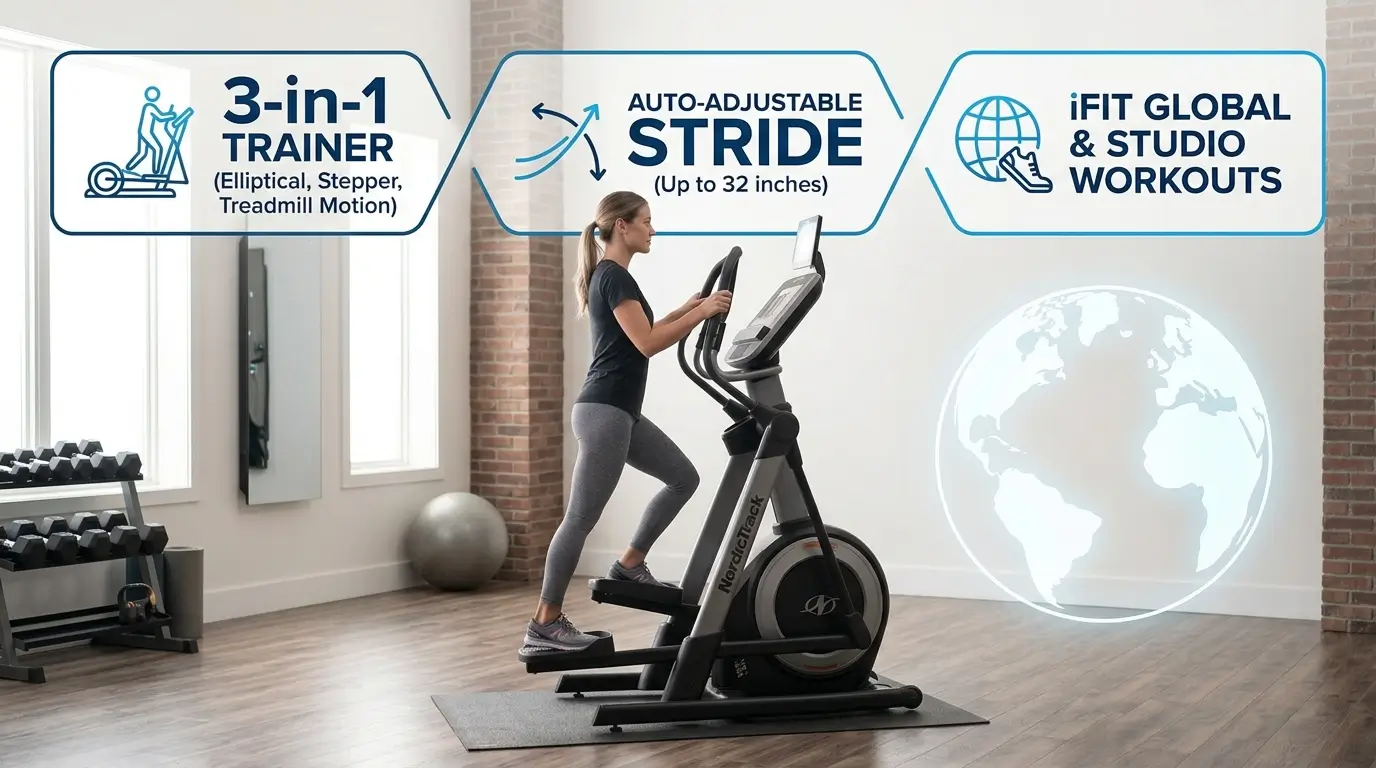
This NordicTrack FreeStrider review looks at a machine that tries to replace three: an elliptical, a stair stepper, and a treadmill-style trainer. NordicTrack’s official name for it is the FreeStride Trainer, and the FS10i is the model most home gym owners shop for. Its big selling point is a stride path that adjusts as you move.
That sounds great on paper. But is it right for your home? Below, we break down the specs, build, features, workouts, costs, and who should skip it.
A note on method: this review is built from NordicTrack’s published specs and how the machine is designed to work. It is not a lab test. Where a number varies between sources, we mark it so you can check it with NordicTrack before you buy.
Quick Answer: Our NordicTrack FreeStrider Review in Brief
The NordicTrack FreeStrider (FS10i) is worth it if you want low-impact cardio with variety, have a room with a high ceiling, and accept an iFIT membership. Its 32-inch (81 cm) adjustable stride and power incline stand out. Skip it if you need a compact, budget, or subscription-free machine.
Specs at a Glance
Here are the key specs for the FS10i.
| Spec | Detail |
|---|---|
| Model | NordicTrack FreeStride Trainer FS10i |
| Machine type | 3-in-1: elliptical, stair stepper, treadmill-style motion |
| Stride length | 32 in (81 cm), auto-adjustable |
| User weight capacity | 375 lb (170 kg) |
| Assembled size | 58.5 in L × 29.5 in W × 74 in H (149 × 75 × 188 cm) |
| Machine weight | About 284 lb (129 kg) in the box |
| Incline | Power incline, 0–10% |
| Resistance | Digital silent magnetic resistance, 24 levels |
| Flywheel | About 20 lb (9 kg), center drive |
| Display | 10-inch HD touchscreen |
| Connectivity | Bluetooth audio; iFIT-enabled (internet and Wi-Fi required) |
| Warranty | 10-year frame, 2-year parts, 1-year labor (see NordicTrack’s warranty page) [VERIFY: confirm terms for your model] |
| Price range | Roughly $1,700–$2,000 [VERIFY: prices change often] |
Some retailers list 26 resistance levels. That number matches the higher-end FS14i, so confirm it on NordicTrack’s product page. [VERIFY: add the NordicTrack FS10i product page link here.]
NordicTrack FreeStrider Review: Design and Build
This part of our NordicTrack FreeStrider review covers size, weight, frame, and controls, since those decide whether it fits your home.
Size and Footprint
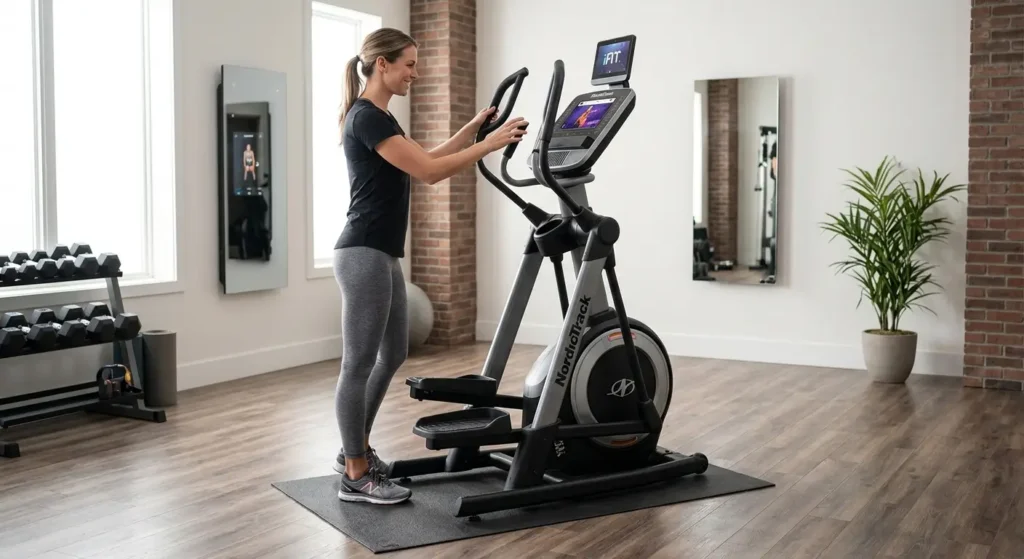
The FS10i measures 58.5 inches long, 29.5 inches wide, and 74 inches tall (149 × 75 × 188 cm). That is a standard elliptical footprint, so it is not tiny. The 74-inch (188 cm) height matters more than most people expect.
Measure your ceiling before you buy. Your stride rises as the pedals move, so you need extra headroom. Leave at least 12 inches (30 cm) above the tallest user’s head. Also leave two feet (60 cm) behind and beside the machine for safe getting on and off.
Weight and Moving It
The in-box weight is about 284 lb (129 kg) . That is heavy, so plan delivery carefully. Have a second person help, and ask whether paid delivery and assembly is offered in your area.
The FS10i has transport wheels, which help you tilt and roll it to a new spot. Still, don’t plan to move it every day.
Frame and Stability
The FS10i uses a center-drive design, with the flywheel in the middle. This layout generally feels more balanced than a front-drive design. Stability matters here because the stride swings freely, so any wobble would be easy to notice.
The 375 lb (170 kg) user capacity is also generous. Many ellipticals list lower limits, so this one suits larger users better. Always stay within the manufacturer’s limit.
Console, Screen, and Controls
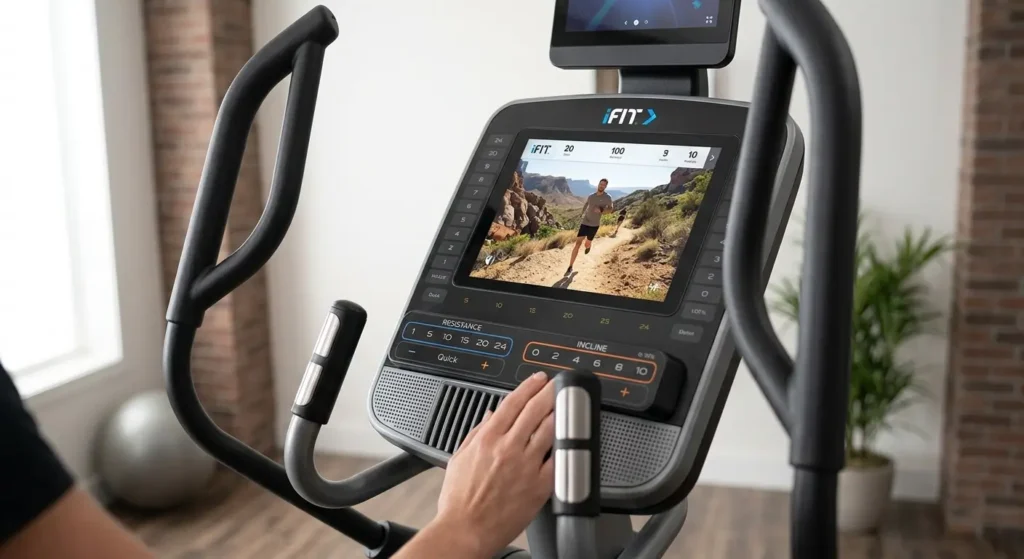
The FS10i has a 10-inch HD touchscreen that streams iFIT classes and scenic workouts. It also has one-touch controls for resistance and incline. That helps, because you can change the effort without digging through menus.
Check the screen height before you buy. If you are very tall or short, ask whether the console works for your eye level. Also make sure the pedals fit your shoe size.
Pedals and Handles
The pedals follow your foot through a long path, so they need to feel secure. Wear flat, supportive shoes and keep your whole foot on the pedal. Moving handlebars add upper-body work, while fixed handles give you a steady grip when you step or stride.
Performance and Features
The Adjustable Stride: What Makes It Different
On most ellipticals, the stride path is fixed. The NordicTrack FreeStrider is different. Its 32-inch (81 cm) auto-adjustable stride follows your motion. One machine can imitate three movements:
- Elliptical glide. A long, smooth, horizontal stride.
- Stair-stepper motion. A shorter, more vertical push, like climbing.
- Treadmill-style striding. A longer, running-like path.
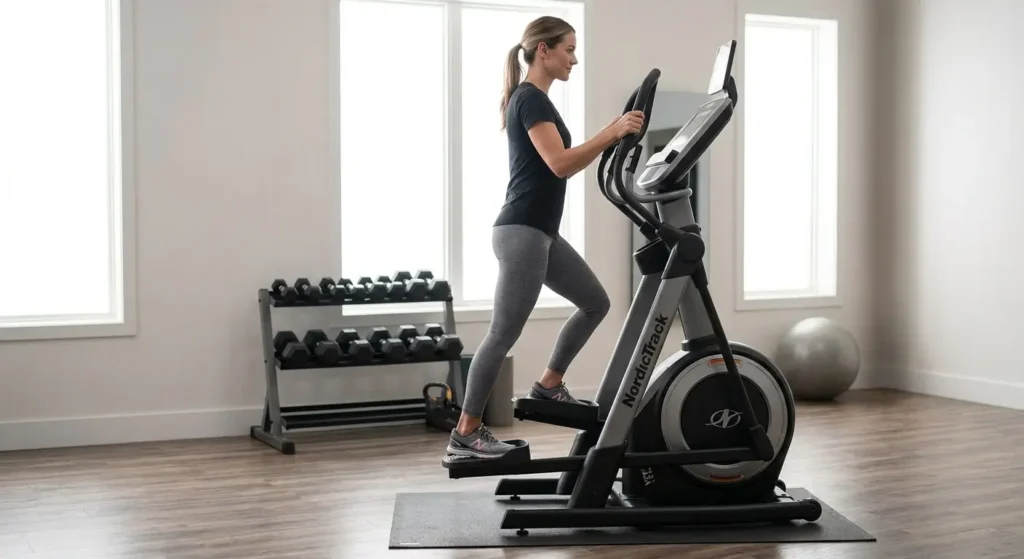
Short strides feel like climbing stairs. Long strides feel like a glide or a light run. Because the machine adapts as you move, you can switch styles mid-workout without stopping.
Coach’s Tip: Treat each stride style as its own exercise. Short, steep strides usually put more load on your quads and glutes. Longer strides feel more like steady cardio. Mix them on purpose, so you train different parts of the movement.
Expect a learning curve. Your first few sessions may feel awkward while your legs find a rhythm. That is normal, so keep your pace easy until the motion feels natural.
Power Incline
The FS10i raises the incline from 0% to 10%. A steeper incline generally shifts more work to your glutes and hamstrings. It also raises your heart rate without adding speed, so you can get a harder session at a controlled pace.
Start low. Add one or two percent at a time. Keep your posture tall instead of leaning on the handles.
Resistance
The FS10i uses digital magnetic resistance with 24 levels. Many ellipticals offer fewer levels, so you get finer control over effort. Magnetic resistance is also quiet, which helps in an apartment or a shared home.
As a starting point, begin in the lower quarter of the range. Raise it only when you can keep good form and an even pace.
iFIT Workouts and the Touchscreen
The FS10i is built to work with iFIT, NordicTrack’s training platform. A membership lets you stream trainer-led classes and global workouts. It also lets your resistance and incline adjust automatically to follow the terrain on screen. NordicTrack notes that internet and Wi-Fi are required for that experience.
This removes the guesswork, but it is also a recurring cost. A 30-day trial typically comes with the machine. Before buying, confirm the current iFIT price, what the trial covers, and which controls still work without a membership.
Sound, Fan, and Extras
The FS10i supports Bluetooth audio, so you can pair headphones or speakers. Many listings also mention a workout fan and a bottle holder. These are small details, but they make longer sessions more comfortable.
How to Use the FreeStrider: Sample Workouts
A good machine still needs a plan. Adults need at least 150 minutes of moderate-intensity activity each week, plus muscle-strengthening activity on two or more days, according to the CDC’s adult activity guidelines. The FreeStrider can cover the cardio part.
You can check your effort with the talk test. As a rule of thumb, moderate-intensity activity lets you talk but not sing, according to the CDC’s guide to measuring intensity.
Form Cues for Every Session
- Stand tall with your chest up and shoulders relaxed.
- Keep your whole foot flat on the pedal, with weight through the heel and midfoot.
- Hold the handles lightly. Don’t lean on them.
- Keep your knees soft and tracking over your toes.
- Breathe steadily and keep your core gently braced.
Common Mistake: Gripping the handles hard and leaning forward. This shifts work away from your legs and can strain your wrists and shoulders. Stand upright and let your legs do the work.
Three Sample Workouts
| Level | Time | Plan |
|---|---|---|
| Easier (regression) | 20 min | 5 min easy warm-up. 10 min steady at moderate effort (talk test), short-to-medium stride, low resistance, 0% incline. 5 min easy cool-down. |
| Standard | 30 min | 5 min warm-up. 5 rounds of 3 min moderate plus 2 min harder (add 1–2% incline or a few resistance levels). 5 min cool-down. |
| Harder (progression) | 35–40 min | 5 min warm-up. 6 rounds of 2 min hard (higher incline and resistance, longer stride) plus 2 min easy. 5 min cool-down. |
Weekly Plan
Start with two to three sessions a week and take at least one rest or easy day between hard sessions. Stay with the easier plan for the first two to three weeks. Move up only when you finish a session feeling in control and can hold good form.
Add two strength days as well, since the CDC guidelines call for muscle-strengthening on two or more days. If you have joint pain, heart or lung conditions, or have been inactive, check with your doctor first.
Setup and Maintenance Tips
A little prep protects your investment, and it matters for any NordicTrack FreeStrider review that touches daily use.
- Pick the spot first. Choose a flat, hard floor with enough height. A rubber mat protects flooring and cuts vibration.
- Plan for power and Wi-Fi. The touchscreen needs both for iFIT workouts, so place the machine near an outlet and a strong signal.
- Check bolts after the first week. Hardware can settle. Tighten anything loose, following the manual.
- Wipe it down. Clean the console, handles, and rails after each use with a lightly damp cloth.
- Follow the warranty rules. Read the placement and storage terms before choosing a garage or unheated room.
NordicTrack FreeStrider Review: Cost and Ownership
In this NordicTrack FreeStrider review, expect the FS10i to cost roughly $1,700–$2,000. Sales and financing may change that range. Add the cost of an iFIT membership if you want the full experience.
Also budget for a floor mat, possible delivery or assembly fees, and the effort of moving a heavy machine. The warranty helps, since NordicTrack lists 10 years on the frame, 2 years on parts, and 1 year on labor. Still, the shorter parts and labor coverage means a repair after year two could cost you.
NordicTrack FreeStrider Review: Pros and Cons
Pros
- Long 32-inch (81 cm) adjustable stride that adapts to your motion
- Three movement styles in one machine
- Low-impact design, since your feet stay on the pedals
- High 375 lb (170 kg) user capacity
- Power incline for glute and hamstring emphasis
- Quiet magnetic resistance
- 10-inch touchscreen with iFIT workouts
- Transport wheels
- 10-year frame warranty
Cons
- Heavy and large, so it needs real space and help to move
- Full experience depends on an iFIT membership
- Higher price than basic ellipticals
- Free-moving stride has a learning curve
- Flywheel may feel light to advanced users
- Parts and labor coverage is much shorter than the frame warranty
Who Should Buy, and Who Should Skip It
Buy it if you:
- Want low-impact cardio with a variety of stride styles
- Like guided classes and scenic workouts
- Have a dedicated spot with enough floor and ceiling space
- Are tall and want a longer stride than most ellipticals allow
- Need a higher user weight limit
- Want one machine to replace several
Skip it if you:
- Live in a small apartment or have a low ceiling
- Want to avoid monthly subscription costs
- Need a machine you can move or fold often
- Prefer a fixed, simple elliptical path
- Are training for running, since a treadmill matches a running stride more closely
The NordicTrack FreeStrider is not a one-size-fits-all answer. It suits people who value variety and have the room to enjoy it.
Alternatives to Consider
If the FreeStrider isn’t the right fit, several other options may work better.
Another brand may suit you more. Our ProForm vs NordicTrack comparison shows how the two differ on features and value. If you want a pulling motion and full-body cardio, read our guide to rowing machine vs elliptical and our NordicTrack RW200 vs Concept2 breakdown.
Short on space? Our list of under-desk ellipticals covers small options for light daily movement. For gentler cardio, our picks for stationary bikes for older adults offer an easier start. If your goal is simple fitness with no machine, see slow jogging vs fast walking.
Space often decides the choice. Our roundup of apartment workout equipment can help you plan a setup around your room size.
Can the FreeStrider Help With Belly Fat?
Many buyers ask this. No single machine targets fat in one area. Overall activity, nutrition, sleep, and consistency matter more. If that is your goal, read our guides on whether the elliptical burn belly fat question has a simple answer and whether the treadmill burns belly fat. If weight loss is your goal, check with a doctor or registered dietitian before you start a new plan.
Safety Notes
The FreeStrider is low-impact, but it is not risk-free. Follow these basics:
- Check with a doctor or physical therapist before starting if you have joint, heart, balance, or pain concerns.
- Hold the handles lightly when you step on and off, and wait for the pedals to stop.
- Wear flat, supportive shoes.
- Keep children and pets away from the moving parts.
- Stop if you feel dizzy, short of breath, or feel pain.
NordicTrack FreeStrider Review: FAQ
Is the NordicTrack FreeStrider worth it?
It is worth it if you want a low-impact trainer with varied stride styles and you have the space and budget. The long adjustable stride, incline, and iFIT classes are strong points. The price, weight, and membership cost make it a poor fit for small spaces or tight budgets.
What is the weight capacity of the FS10i?
NordicTrack lists a user weight capacity of 375 lb (170 kg) for the FS10i. That is higher than many ellipticals. Always stay within the limit, and read the manual for placement, assembly, and safe use before your first session.
How much space does the FreeStrider need?
The assembled FS10i is 58.5 inches long, 29.5 inches wide, and 74 inches tall (149 × 75 × 188 cm). Leave at least 12 inches (30 cm) of headroom and about two feet (60 cm) around the machine. Measure your room before ordering, since the machine is large and heavy.
Can you use the FreeStrider without iFIT?
The touchscreen and the automatic resistance and incline features are built around iFIT. You can still use the one-touch controls to set effort yourself, but confirm with NordicTrack which features work without a membership. Ask about trial length and ongoing costs too.
Is the FreeStrider good for beginners?
Yes, with a gentle start. Low-impact motion and one-touch controls help new users, and you can pick an easy stride and low resistance. The free-moving stride takes a few sessions to learn, so start with 20-minute workouts and hold the handles lightly.
Is the FreeStrider good for bad knees?
Low-impact machines can feel gentler than running, since your feet stay on the pedals. Knee pain has many causes, though. Check with a doctor or physical therapist before using it, start with short sessions, and stop if you feel pain.
NordicTrack FreeStrider Review: Final Verdict
This NordicTrack FreeStrider review comes down to one question: do you have the space, budget, and interest in iFIT? If yes, the FS10i is a strong, versatile low-impact trainer. Its 32-inch (81 cm) adjustable stride, power incline, and 375 lb (170 kg) capacity set it apart from basic ellipticals.
If not, a smaller or simpler machine will serve you better. Before you buy, measure your ceiling, confirm the details, and check current pricing and the iFIT membership. Choose the ultimate FreeStrider for your home only if it fits your room and your habits, because that is what keeps you using it for years.
